Personalised calorie plan
The result of an onboarding quiz: a daily calorie target, protein, carbs and fat bars, a projected weight curve with a goal date and a button to continue. Use it after a quiz to show users a plan made from their answers.
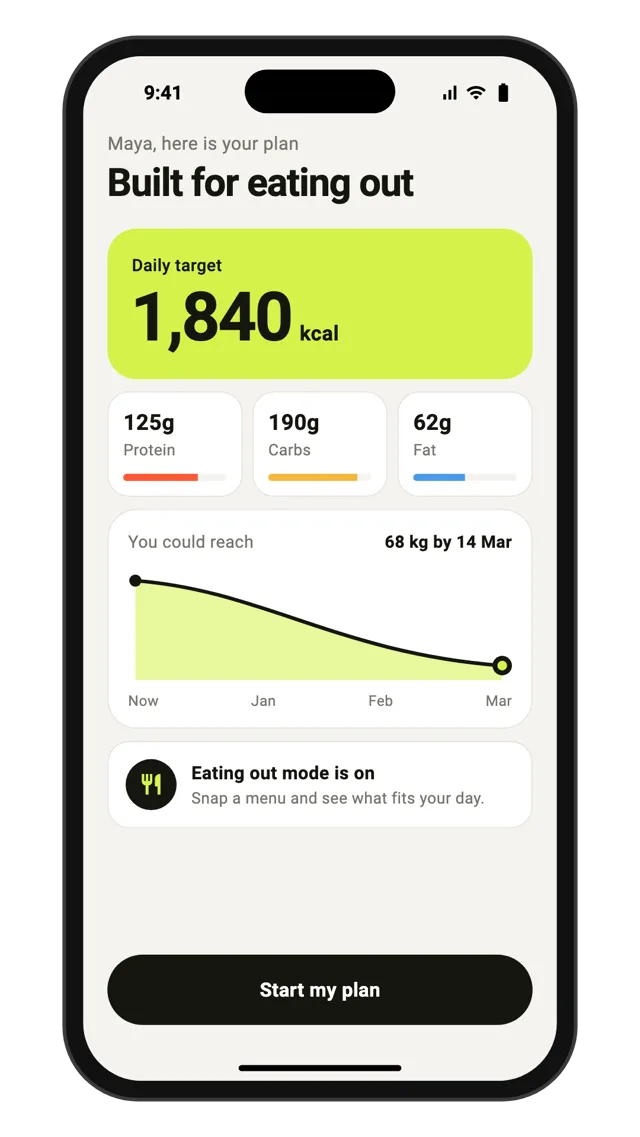
What you get
- Screen type
- Onboarding
- Source code
- Flutter (Dart), React Native (JavaScript), SwiftUI (Swift)
- Typical use
- Showing a plan built from quiz answers
- Part of flow
- Fennick Snap
- Version
- v3
- Access
- Source code opens in the app with a GroundUI licence.
This is a starting point, not a finished app. The screen ships as editable source code you own outright: wire it to your own data, services and design tokens before release.
Browse related screens
More onboarding screens
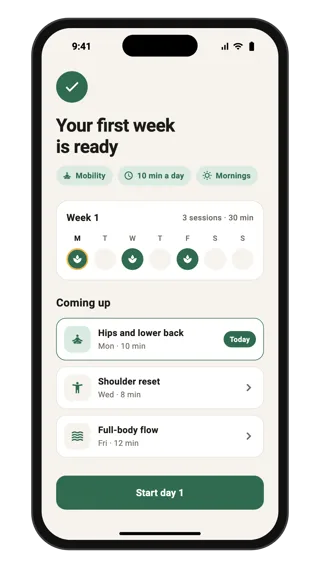
Your plan is ready
Final onboarding screen that shows the personalised result: a summary of the user's answers, a seven-day strip marking training days and the first three sessions with durations. A Start day 1 button hands the user into the app.
Onboarding · Flutter, React Native, SwiftUI
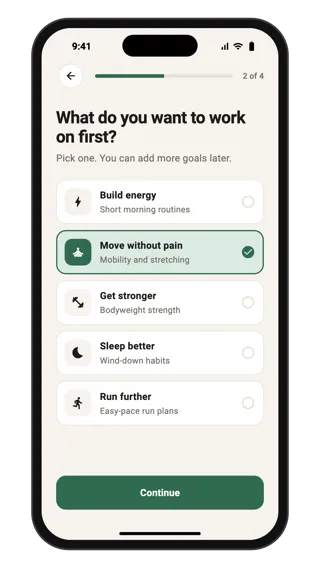
Pick your goal
Onboarding question that personalises a habits and fitness plan: a step progress bar, one question and five selectable goal cards with icons and short descriptions. Continue stays disabled until a goal is picked. Use it to tailor content during sign-up.
Onboarding · Flutter, React Native, SwiftUI
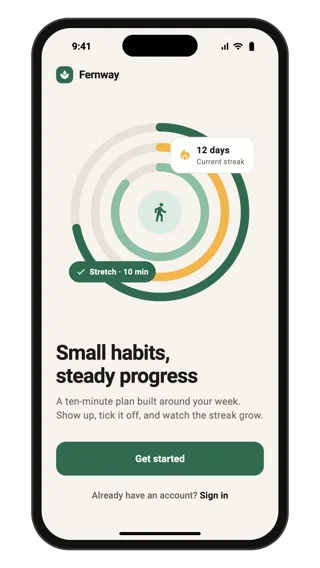
Habit app welcome
Welcome screen for a habits and fitness app: an abstract progress illustration with a streak card, a short value line, a full-width Get started button and a sign-in link for returning users. Use it as the first screen of onboarding.
Onboarding · Flutter, React Native, SwiftUI
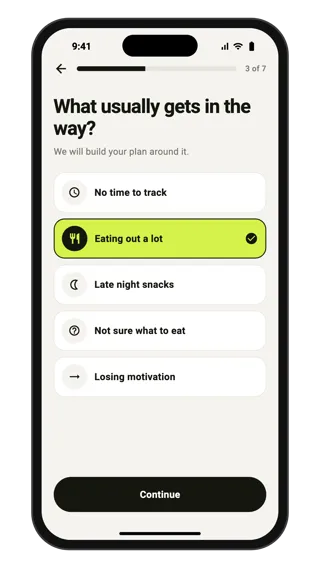
Onboarding quiz question
One question from a personalisation quiz in a calorie tracker: a step progress bar, a plain question, five single-choice answers with icons and a continue button that unlocks after a pick. Use it for longer onboarding quizzes before a plan.
Onboarding · Flutter, React Native, SwiftUI