React Native app screens
GroundUI has 19 mobile app screens with React Native source code, written in JavaScript. Each one is a full screen you paste into your own project, not a package dependency. Examples include your plan is ready, pick your goal and habit app welcome.
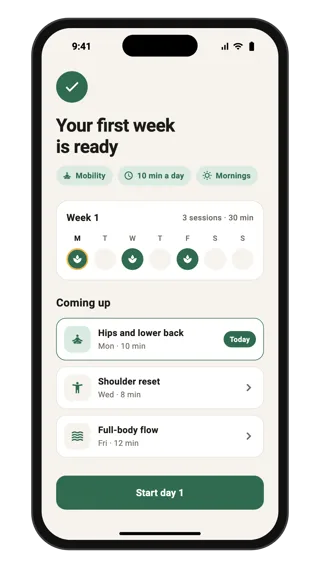
Your plan is ready
Final onboarding screen that shows the personalised result: a summary of the user's answers, a seven-day strip marking training days and the first three sessions with durations. A Start day 1 button hands the user into the app.
Onboarding · Flutter, React Native, SwiftUI
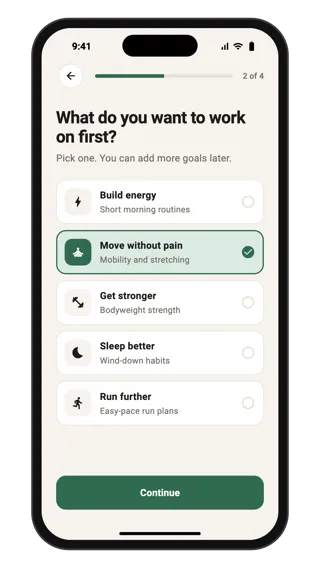
Pick your goal
Onboarding question that personalises a habits and fitness plan: a step progress bar, one question and five selectable goal cards with icons and short descriptions. Continue stays disabled until a goal is picked. Use it to tailor content during sign-up.
Onboarding · Flutter, React Native, SwiftUI
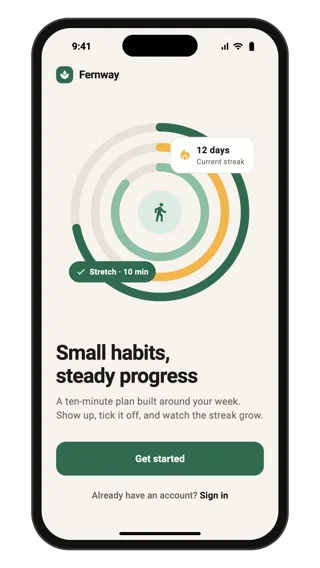
Habit app welcome
Welcome screen for a habits and fitness app: an abstract progress illustration with a streak card, a short value line, a full-width Get started button and a sign-in link for returning users. Use it as the first screen of onboarding.
Onboarding · Flutter, React Native, SwiftUI
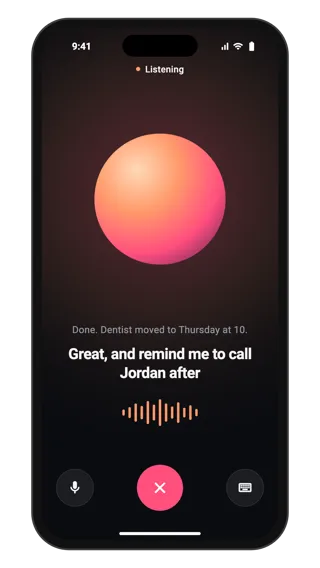
Voice mode
Full-screen voice conversation with an AI assistant: a large glowing orb, a listening status, live captions of both speakers, a level meter, and mute, keyboard and end controls. Use it for hands-free conversation in an assistant app.
Ai · Flutter, React Native, SwiftUI
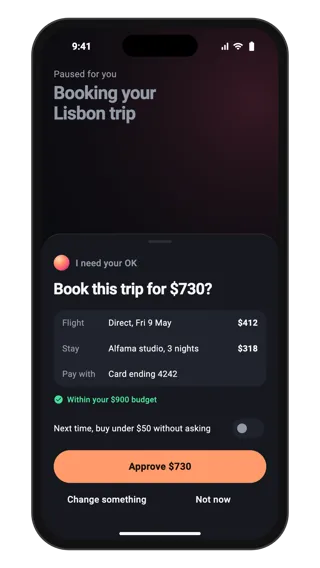
Approve agent purchase
A bottom sheet where an AI agent asks before spending money: the total, what is being bought, the payment method, the budget check, a rule toggle for small purchases, and approve, change and not now actions. Use it whenever an agent needs consent.
Ai · Flutter, React Native, SwiftUI
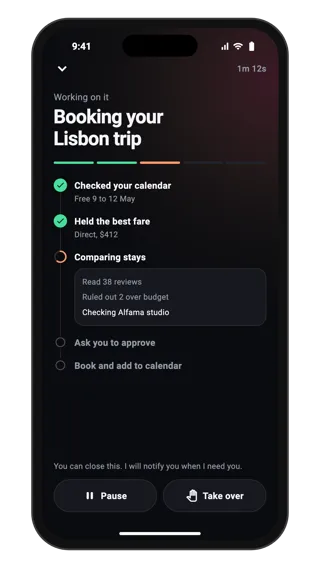
Agent task progress
Live progress for an AI agent working through a task: elapsed time, a progress bar, finished, running and waiting steps, a log of what it is doing now, and controls to pause or take over. Use it for long tasks that run in the background.
Ai · Flutter, React Native, SwiftUI
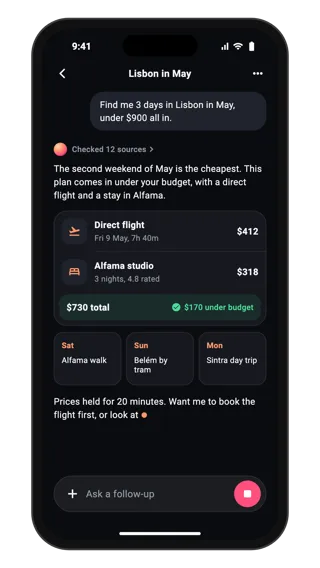
Streaming AI answer
An AI answer still streaming: the user request, a sources summary, a short reply, a rich trip card with flight, stay and budget total, a typing cursor and a composer with a stop button. Use it when answers should be more than plain text.
Ai · Flutter, React Native, SwiftUI
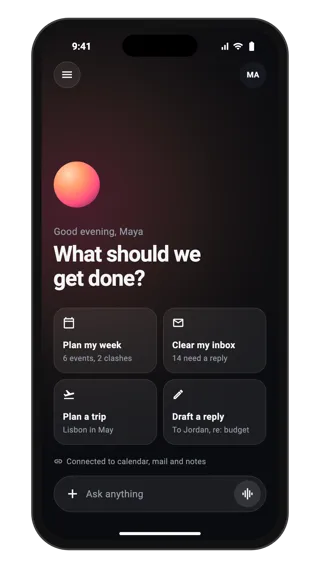
Assistant home screen
Home screen for an AI assistant: a warm orb, a greeting, four suggested tasks that fill the composer when tapped, connected sources and a floating composer with attach, voice and send. Use it as the first screen of a chat-based AI app.
Ai · Flutter, React Native, SwiftUI
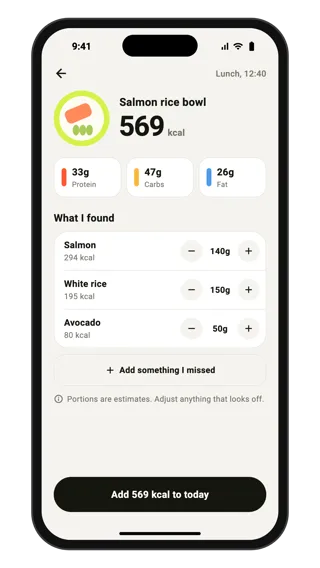
Meal scan result
The result of a food photo: a drawn meal, a calorie total, macros and each detected food with a portion stepper that updates the total, plus a confidence note and add button. Use it so people can correct AI results before saving.
Food · Flutter, React Native, SwiftUI
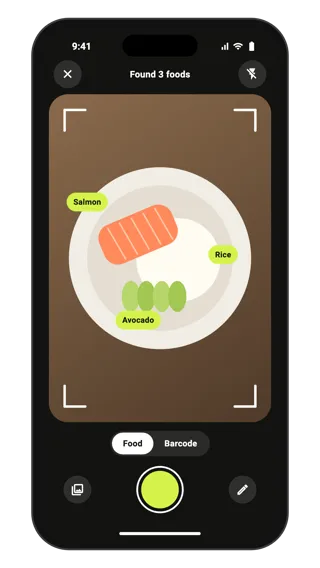
Food camera scan
A camera screen for logging food by photo: a drawn plate inside framing corners, labels on detected foods, a scan and barcode switch, gallery and flash buttons and a shutter. Use it for any app that turns a photo into structured data.
Camera · Flutter, React Native, SwiftUI
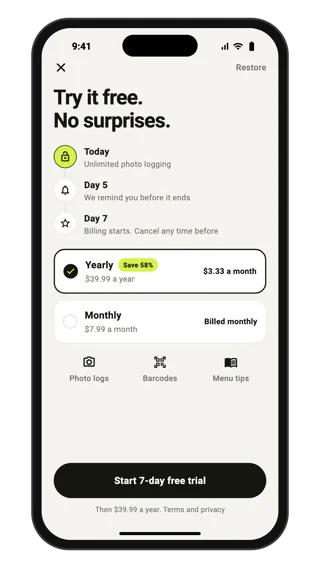
Free trial paywall
A subscription paywall built around trust: a timeline of what happens today, on the reminder day and when billing starts, yearly and monthly plan cards with savings, a trial button, restore and terms. Use it straight after onboarding.
Pricing · Flutter, React Native, SwiftUI
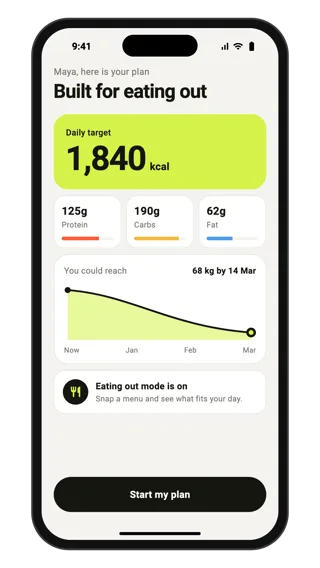
Personalised calorie plan
The result of an onboarding quiz: a daily calorie target, protein, carbs and fat bars, a projected weight curve with a goal date and a button to continue. Use it after a quiz to show users a plan made from their answers.
Onboarding · Flutter, React Native, SwiftUI
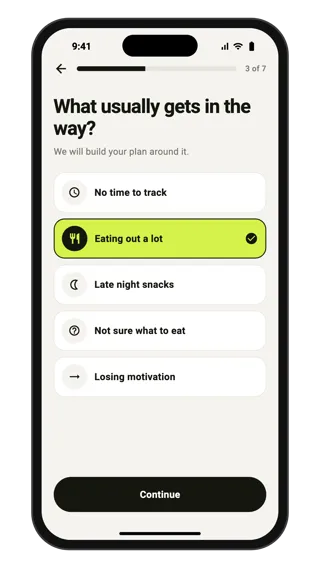
Onboarding quiz question
One question from a personalisation quiz in a calorie tracker: a step progress bar, a plain question, five single-choice answers with icons and a continue button that unlocks after a pick. Use it for longer onboarding quizzes before a plan.
Onboarding · Flutter, React Native, SwiftUI
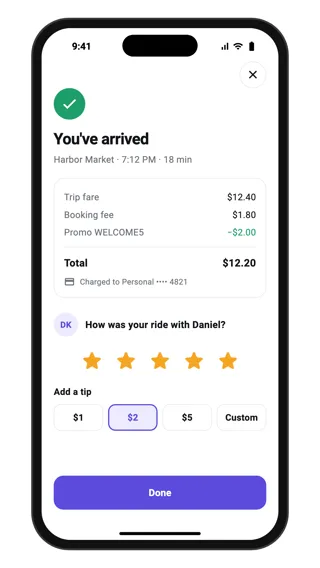
Trip receipt and rating
End-of-trip screen for a ride-hailing app: arrival confirmation, a fare breakdown with booking fee and promo, the payment method, a five-star driver rating and tip chips, finished with a Done button.
Feedback · Flutter, React Native, SwiftUI
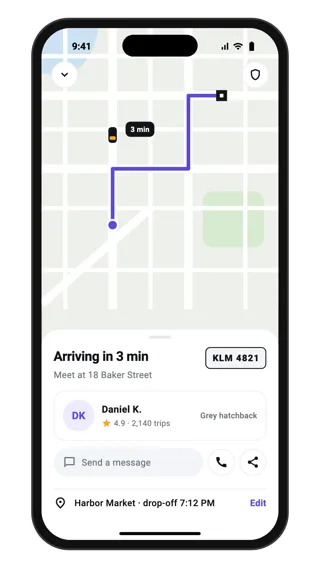
Driver on the way
Live trip screen for a ride-hailing app: the driver's car on the route to pickup, arrival time, driver card with rating and trip count, car description and plate, message and call actions, trip sharing and the pickup address.
Location · Flutter, React Native, SwiftUI
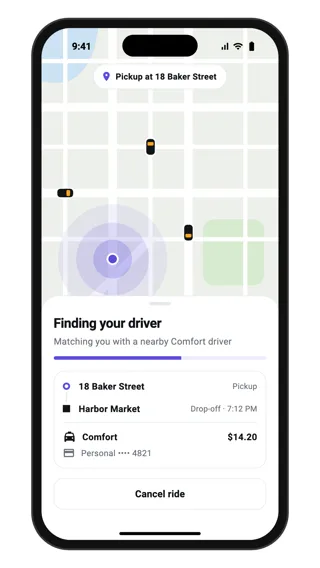
Finding your driver
Matching state for a ride-hailing app: pulsing rings around the pickup point on the map, a progress bar, the trip summary with pickup, drop-off, ride type and price, and a cancel button while a driver is found.
Loading · Flutter, React Native, SwiftUI
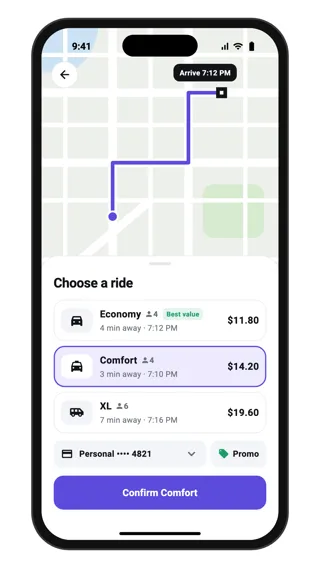
Choose a ride
Ride selection sheet over a route map: three ride types with seats, pickup time and price, the selected option highlighted, a payment method chip, a promo button and a confirm button that names the chosen ride.
Select · Flutter, React Native, SwiftUI
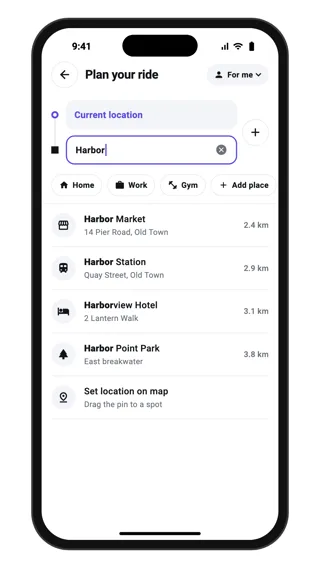
Choose a destination
Destination search for a ride-hailing app: linked pickup and drop-off fields with an add-stop button, saved place chips and live results with addresses and distances, plus a set-on-map option.
Search · Flutter, React Native, SwiftUI
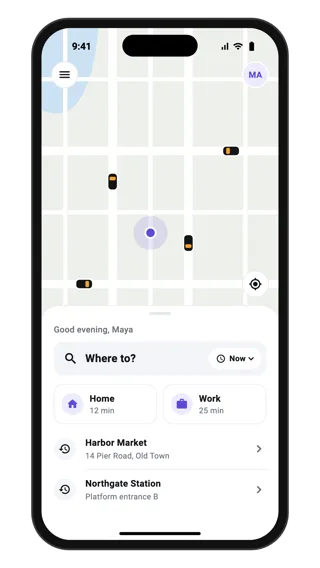
Ride app home
Home screen for a ride-hailing app: a drawn city map with nearby cars and the rider's location, and a bottom sheet with a Where to? search, a pickup-time chip, saved Home and Work shortcuts and recent destinations.
Home · Flutter, React Native, SwiftUI