Wayloft Ride flow
The wayloft ride flow is a set of 6 screens designed to work together, each with editable source code in Flutter, React Native and SwiftUI: trip receipt and rating, driver on the way and finding your driver.
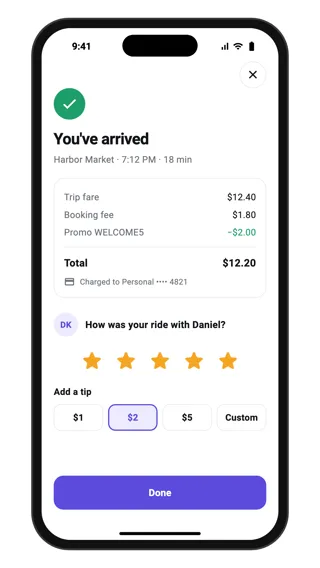
Trip receipt and rating
End-of-trip screen for a ride-hailing app: arrival confirmation, a fare breakdown with booking fee and promo, the payment method, a five-star driver rating and tip chips, finished with a Done button.
Feedback · Flutter, React Native, SwiftUI
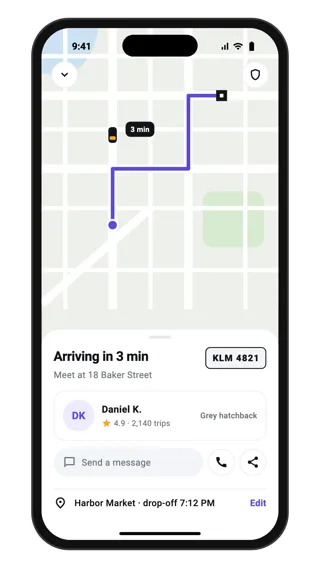
Driver on the way
Live trip screen for a ride-hailing app: the driver's car on the route to pickup, arrival time, driver card with rating and trip count, car description and plate, message and call actions, trip sharing and the pickup address.
Location · Flutter, React Native, SwiftUI
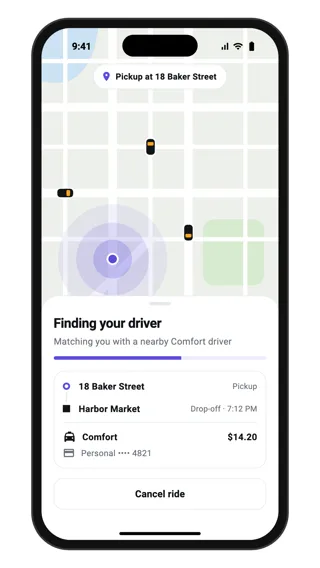
Finding your driver
Matching state for a ride-hailing app: pulsing rings around the pickup point on the map, a progress bar, the trip summary with pickup, drop-off, ride type and price, and a cancel button while a driver is found.
Loading · Flutter, React Native, SwiftUI
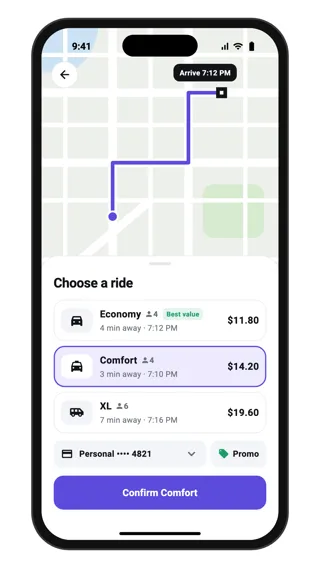
Choose a ride
Ride selection sheet over a route map: three ride types with seats, pickup time and price, the selected option highlighted, a payment method chip, a promo button and a confirm button that names the chosen ride.
Select · Flutter, React Native, SwiftUI
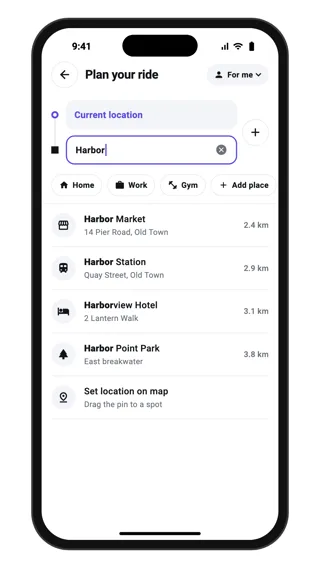
Choose a destination
Destination search for a ride-hailing app: linked pickup and drop-off fields with an add-stop button, saved place chips and live results with addresses and distances, plus a set-on-map option.
Search · Flutter, React Native, SwiftUI
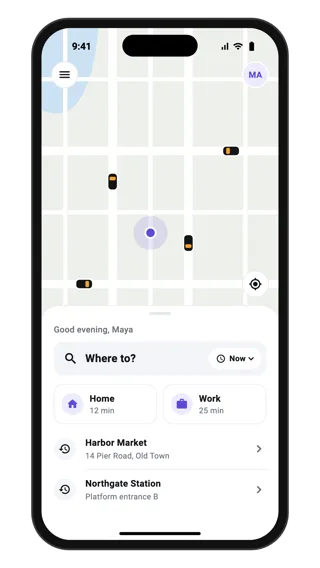
Ride app home
Home screen for a ride-hailing app: a drawn city map with nearby cars and the rider's location, and a bottom sheet with a Where to? search, a pickup-time chip, saved Home and Work shortcuts and recent destinations.
Home · Flutter, React Native, SwiftUI